> For the complete documentation index, see [llms.txt](https://docs.magecomp.com/llms.txt). Markdown versions of documentation pages are available by appending `.md` to page URLs; this page is available as [Markdown](https://docs.magecomp.com/magento-2-customer-avatar-extension/frontend-demo-of-customer-avatar.md).

# Frontend Demo of Customer Avatar

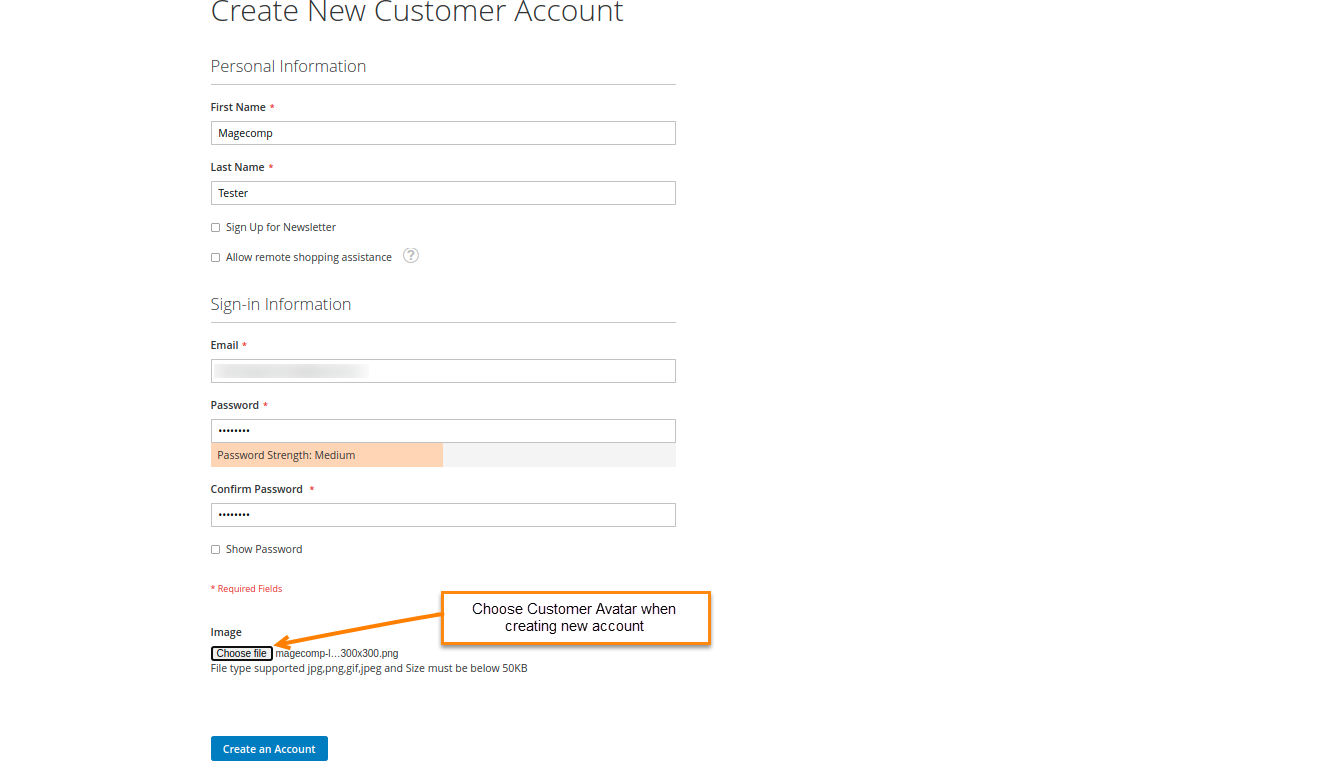
The customer will be asked to choose an image file as their profile image when creating a new account.

<figure><img src="https://807210804-files.gitbook.io/~/files/v0/b/gitbook-x-prod.appspot.com/o/spaces%2F8wMgNeFnYjVGQmgdxMv4%2Fuploads%2FiHhbAgp2m3usrkKUF6n0%2Fimage.png?alt=media&amp;token=e3bbcd0a-e426-4f3e-a7c4-41bbe450839e" alt=""><figcaption></figcaption></figure>

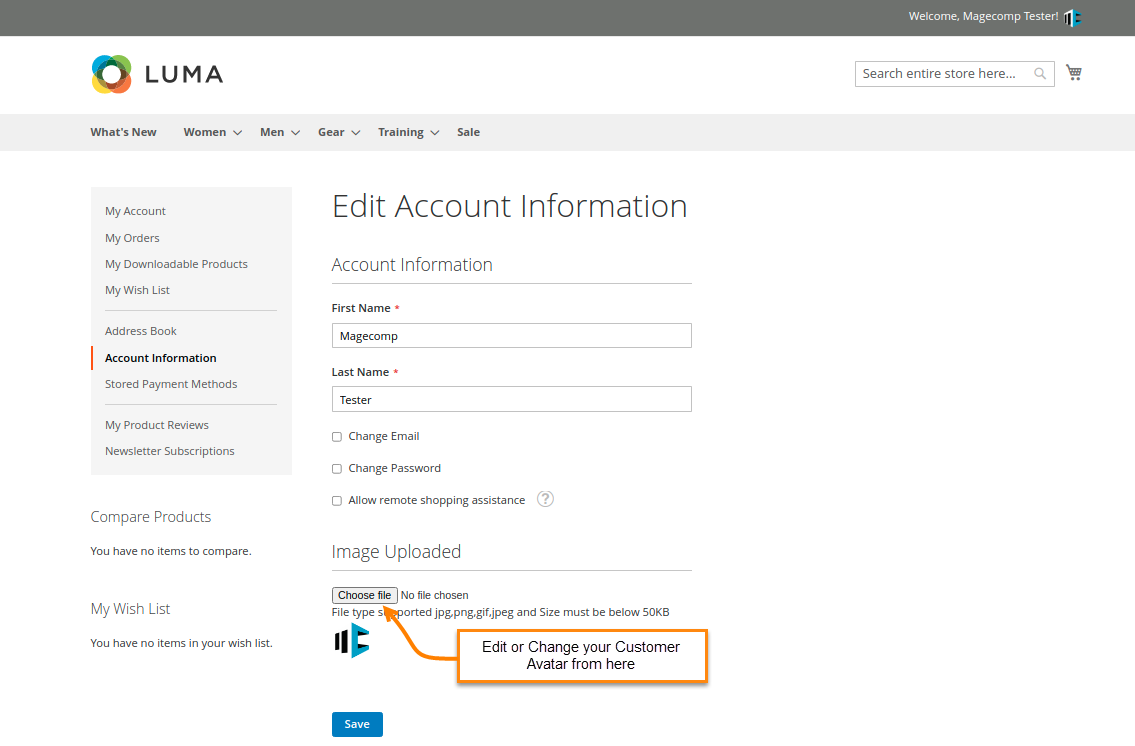
The customer can also change their profile image from the edit account information section.

<figure><img src="https://807210804-files.gitbook.io/~/files/v0/b/gitbook-x-prod.appspot.com/o/spaces%2F8wMgNeFnYjVGQmgdxMv4%2Fuploads%2FQsWRGvp5DzA1iSpDpjE1%2Fimage.png?alt=media&amp;token=fbd3fda2-d451-4d04-8a15-95bae7d23e91" alt=""><figcaption></figcaption></figure>

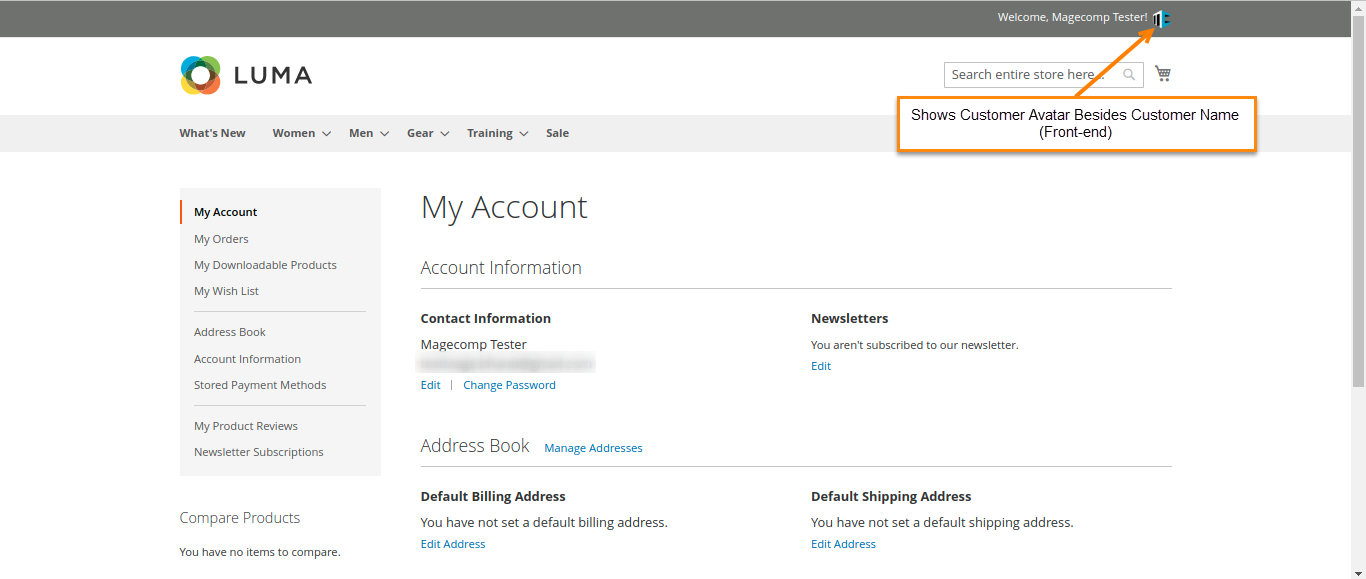
Front-end demo of the customer’s profile image beside their name.

<figure><img src="https://807210804-files.gitbook.io/~/files/v0/b/gitbook-x-prod.appspot.com/o/spaces%2F8wMgNeFnYjVGQmgdxMv4%2Fuploads%2FAP2NP3oMsAmYrsVpqL8o%2Fimage.png?alt=media&amp;token=d7a35944-91bc-4145-ac09-e80a4d96f583" alt=""><figcaption></figcaption></figure>

If anything goes wrong, please contact us at <support@magecomp.com>