> For the complete documentation index, see [llms.txt](https://docs.magecomp.com/llms.txt). Markdown versions of documentation pages are available by appending `.md` to page URLs; this page is available as [Markdown](https://docs.magecomp.com/magento-2-whatsapp-contact-extension-pro/backend-operators-grid.md).
# Backend Operators Grid
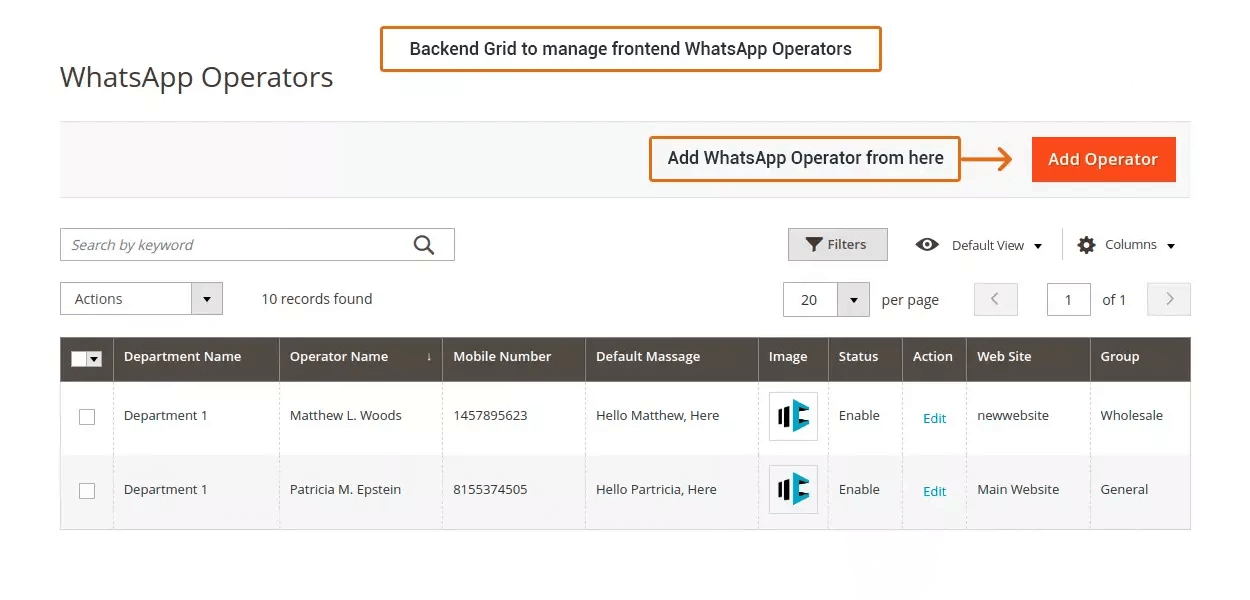
Once you have successfully configured the extension, you can now manage your WhatsApp Operators using backend grid if you have enabled the WhatsApp Operator.
**Add or Update Store Information:**
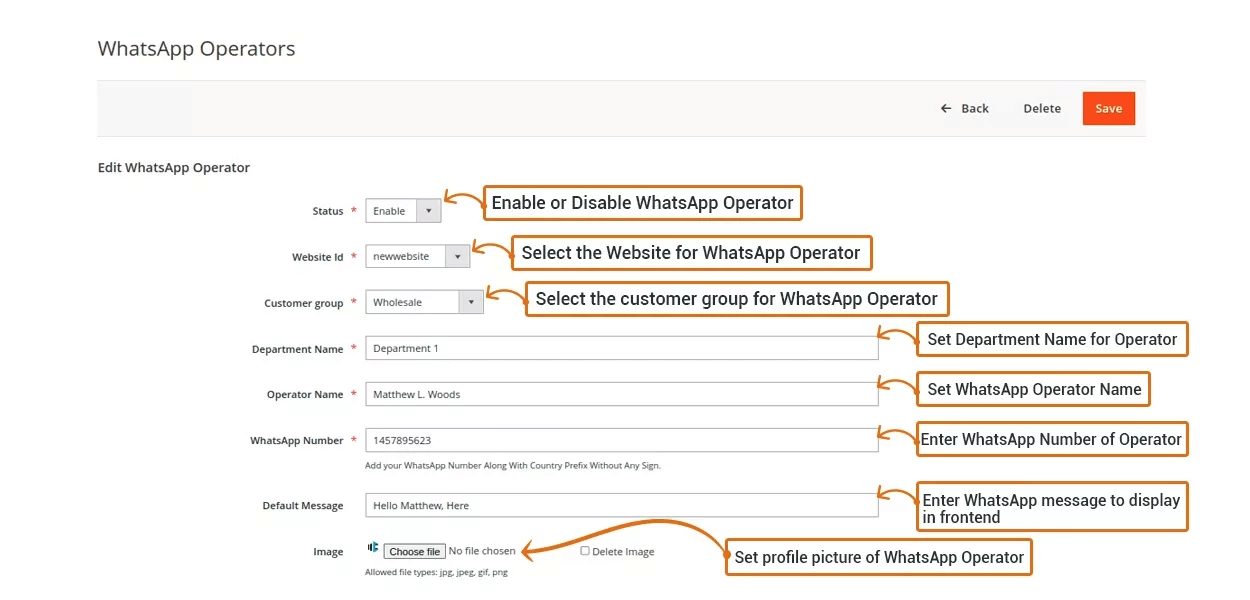
Using this backend grid, you are free to add or update WhatsApp Operator information at any time using Edit link available under action.
* **Status:** Option to enable or disable WhatsApp Operator.
* **Website Id:** Select the website for WhatsApp Operator.
* **Customer group:** Select the customer group for the WhatsApp Operator.
* **Department Name:** Option to assign Department to WhatsApp Operator.
* **Operator Name:** Set WhatsApp Operator name from here.
* **WhatsApp Number:** Set Operator WhatsApp Number.
* **Default Message:** Option to set default WhatsApp push message for the Operator.
* **Image:** From here you can assign Profile Picture for WhatsApp Operator.