# Frontend display of Mobile Login with Email Optional

**Register**

Customers can easily register with the help of a mobile number

<figure><img src="https://807210804-files.gitbook.io/~/files/v0/b/gitbook-x-prod.appspot.com/o/spaces%2F8wMgNeFnYjVGQmgdxMv4%2Fuploads%2FZEqclvmnL2Hpjx8nEBOE%2Fimage.png?alt=media&#x26;token=afb7921d-a188-4f38-8edf-b4e355a9c912" alt=""><figcaption></figcaption></figure>

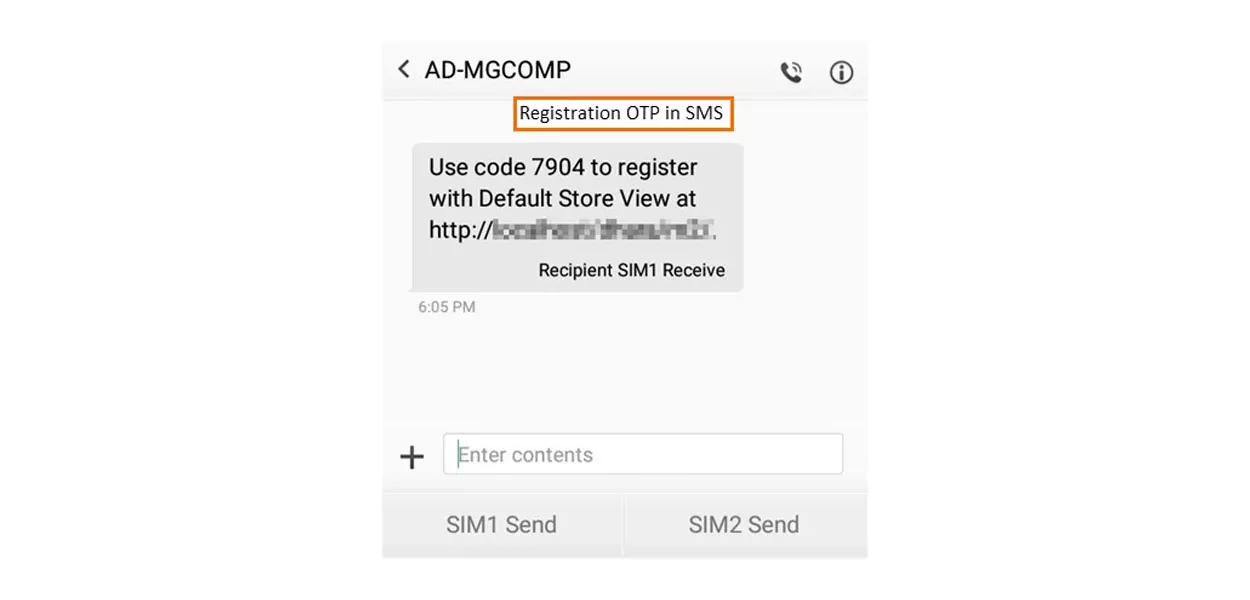
When a customer clicks on send OTP, the OTP text message will be received on the entered mobile number

<figure><img src="https://807210804-files.gitbook.io/~/files/v0/b/gitbook-x-prod.appspot.com/o/spaces%2F8wMgNeFnYjVGQmgdxMv4%2Fuploads%2FzTtt7PpaxGDKuGdyp4KB%2Fimage.png?alt=media&#x26;token=a3926ce8-0f32-4fa3-ae08-32db9fdf6192" alt=""><figcaption></figcaption></figure>

Customers need to enter the OTP and click on verify

<figure><img src="https://807210804-files.gitbook.io/~/files/v0/b/gitbook-x-prod.appspot.com/o/spaces%2F8wMgNeFnYjVGQmgdxMv4%2Fuploads%2FXLoFennpA9z5fotyRH58%2Fimage.png?alt=media&#x26;token=b6e549c2-4b50-4db9-8126-18cfadabf7ca" alt=""><figcaption></figcaption></figure>

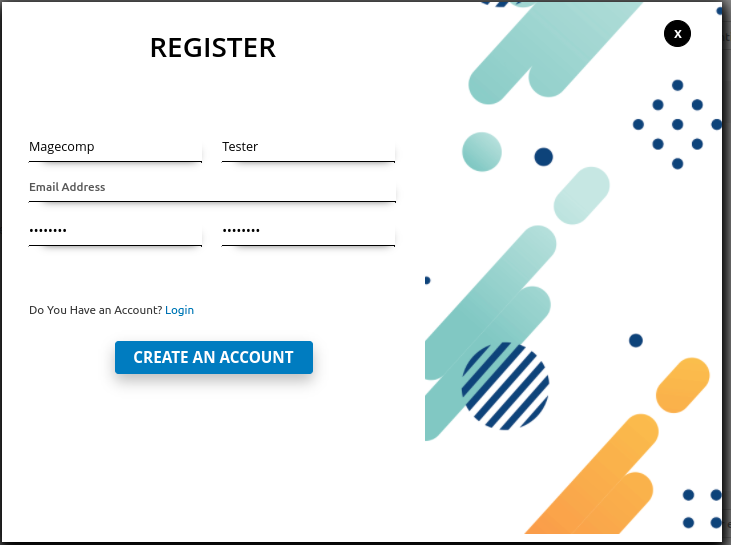
Customers can create an account without entering their email address

<figure><img src="https://807210804-files.gitbook.io/~/files/v0/b/gitbook-x-prod.appspot.com/o/spaces%2F8wMgNeFnYjVGQmgdxMv4%2Fuploads%2FQ7c7hc2sQRo1csyDkw5o%2Fimage.png?alt=media&#x26;token=a5fed578-fd6f-4ea2-8a14-3099558327d4" alt=""><figcaption></figcaption></figure>

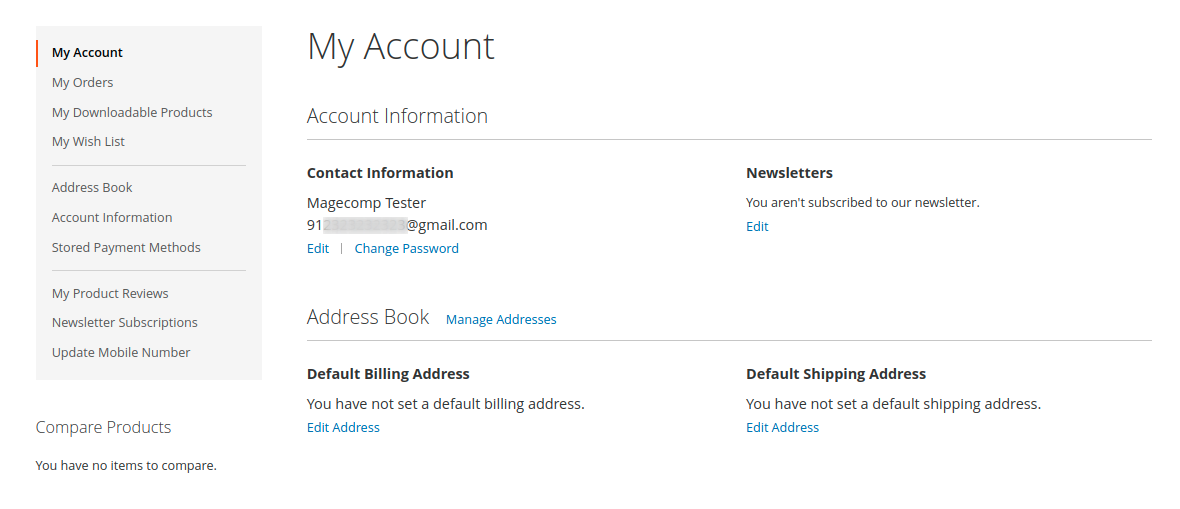
Generate a random email address that is available on the Customer My Account dashboard

<figure><img src="https://807210804-files.gitbook.io/~/files/v0/b/gitbook-x-prod.appspot.com/o/spaces%2F8wMgNeFnYjVGQmgdxMv4%2Fuploads%2F7feBDeuAK6v7X0Cvt158%2Fimage.png?alt=media&#x26;token=71bb8d45-c503-4664-a36f-004bb407adde" alt=""><figcaption></figcaption></figure>

**Update Mobile Number**

Customers can update their mobile numbers through OTP

<figure><img src="https://807210804-files.gitbook.io/~/files/v0/b/gitbook-x-prod.appspot.com/o/spaces%2F8wMgNeFnYjVGQmgdxMv4%2Fuploads%2FqkBPRMxPd8miktOaJZ0G%2Fimage.png?alt=media&#x26;token=f8011592-6900-42c2-8dbc-2b330d3c0077" alt=""><figcaption></figcaption></figure>

**Login**

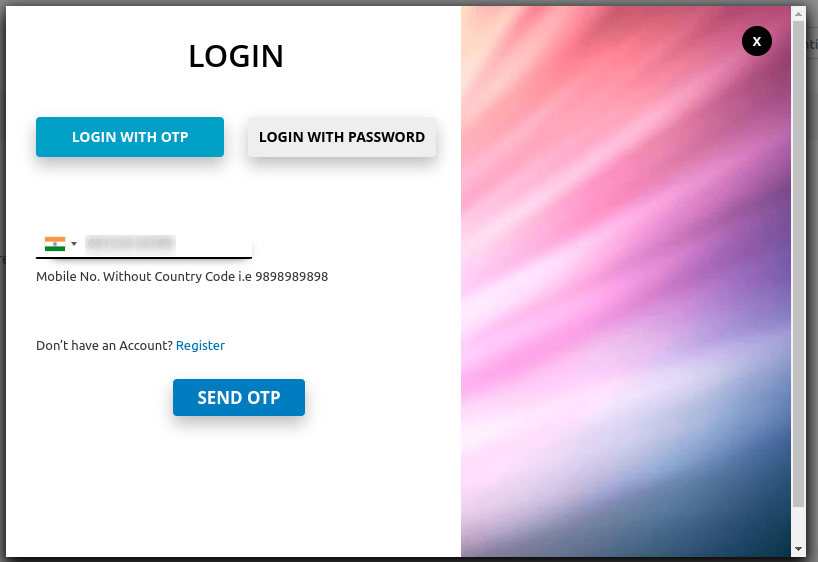
Customers can log in using OTP

<figure><img src="https://807210804-files.gitbook.io/~/files/v0/b/gitbook-x-prod.appspot.com/o/spaces%2F8wMgNeFnYjVGQmgdxMv4%2Fuploads%2FIzdc4O8h33K0xedinjiz%2Fimage.png?alt=media&#x26;token=e55da26a-16a7-4bdb-b498-6abad198d923" alt=""><figcaption></figcaption></figure>

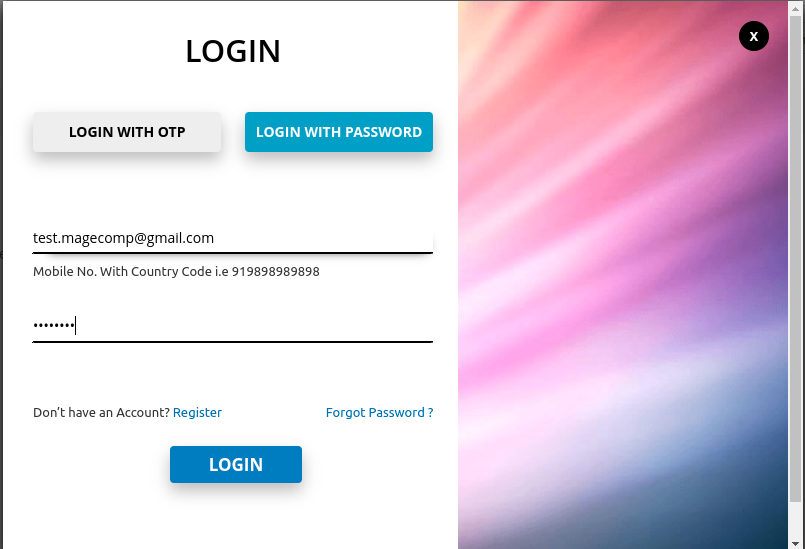
Customers can log in using a password

<figure><img src="https://807210804-files.gitbook.io/~/files/v0/b/gitbook-x-prod.appspot.com/o/spaces%2F8wMgNeFnYjVGQmgdxMv4%2Fuploads%2F0pUm3JmzSXVuSbsJDl22%2Fimage.png?alt=media&#x26;token=af2622d3-8c57-42dc-bd80-b3d528118f2f" alt=""><figcaption></figcaption></figure>

**Forgot Password**

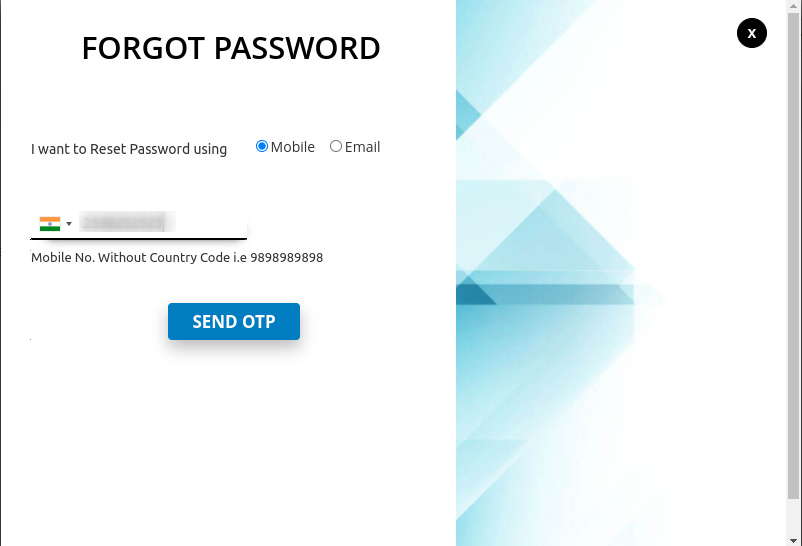
Customers can reset the existing password using a mobile number

<figure><img src="https://807210804-files.gitbook.io/~/files/v0/b/gitbook-x-prod.appspot.com/o/spaces%2F8wMgNeFnYjVGQmgdxMv4%2Fuploads%2FnvN6zbtlbuh2IUmtD1Dt%2Fimage.png?alt=media&#x26;token=31b9beb5-574d-4b08-a98f-93f2e083df6b" alt=""><figcaption></figcaption></figure>

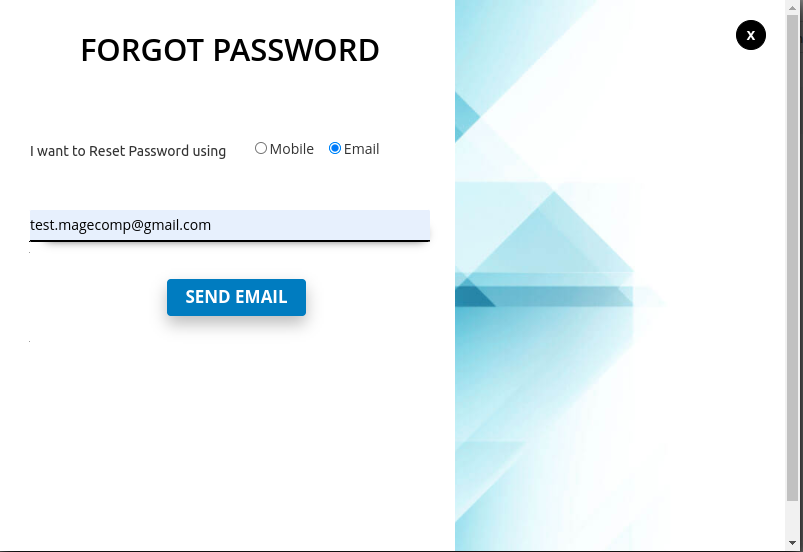
Customers can reset the existing password using email

<figure><img src="https://807210804-files.gitbook.io/~/files/v0/b/gitbook-x-prod.appspot.com/o/spaces%2F8wMgNeFnYjVGQmgdxMv4%2Fuploads%2FSTymvyHyWwHATjMxrHaQ%2Fimage.png?alt=media&#x26;token=6be9880f-e123-4aff-b600-14dd18e1a56c" alt=""><figcaption></figcaption></figure>

**Guest Checkout**

When a user attempts to checkout with registration

<figure><img src="https://807210804-files.gitbook.io/~/files/v0/b/gitbook-x-prod.appspot.com/o/spaces%2F8wMgNeFnYjVGQmgdxMv4%2Fuploads%2F5wE3nMhg7cfnG3rG9YoP%2Fimage.png?alt=media&#x26;token=69789f29-ff9b-4e2f-86f5-67f445e0d31b" alt=""><figcaption></figcaption></figure>

The login popup will appear

<figure><img src="https://807210804-files.gitbook.io/~/files/v0/b/gitbook-x-prod.appspot.com/o/spaces%2F8wMgNeFnYjVGQmgdxMv4%2Fuploads%2FHu2IAxVImkzqnLtOwCHu%2Fimage.png?alt=media&#x26;token=d3039181-a1ad-4e4f-a70c-d47016948fe1" alt=""><figcaption></figcaption></figure>

If anything goes wrong, please contact us at [**support@magecomp.com**](mailto:support@magecomp.com)