> For the complete documentation index, see [llms.txt](https://docs.magecomp.com/llms.txt). Markdown versions of documentation pages are available by appending `.md` to page URLs; this page is available as [Markdown](https://docs.magecomp.com/magento-2-first-data-icici-extension/first-data-payment-in-front-end.md).
# First Data Payment in Front-end
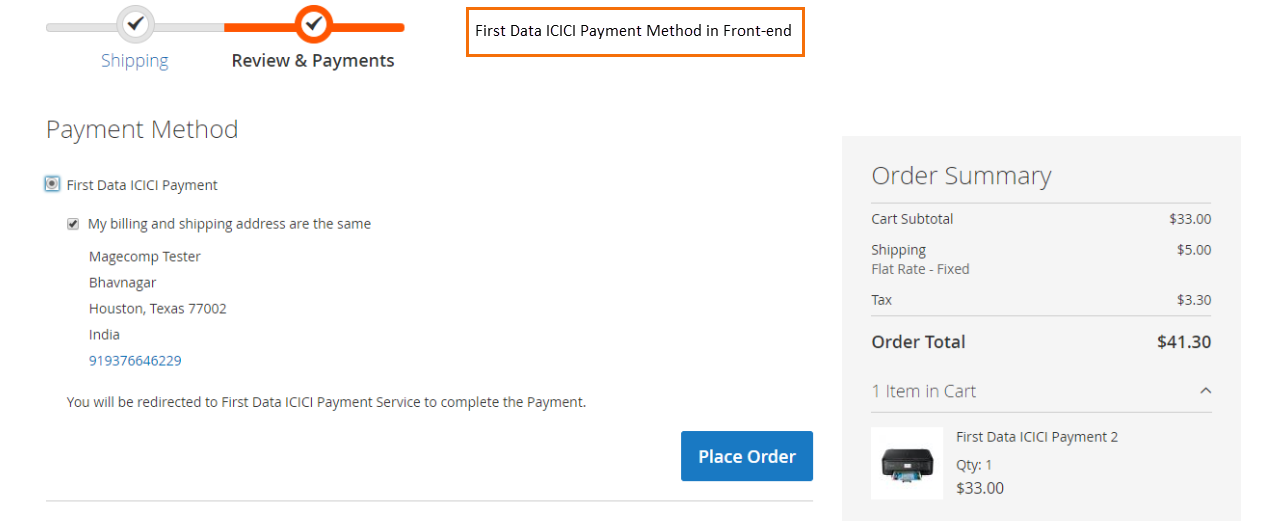
Once the extension is installed and configured, your customers will be able to pay through the First Data IMS omnichannel payment gateway. They will be redirected to the Secure First Data ICICI payment page.
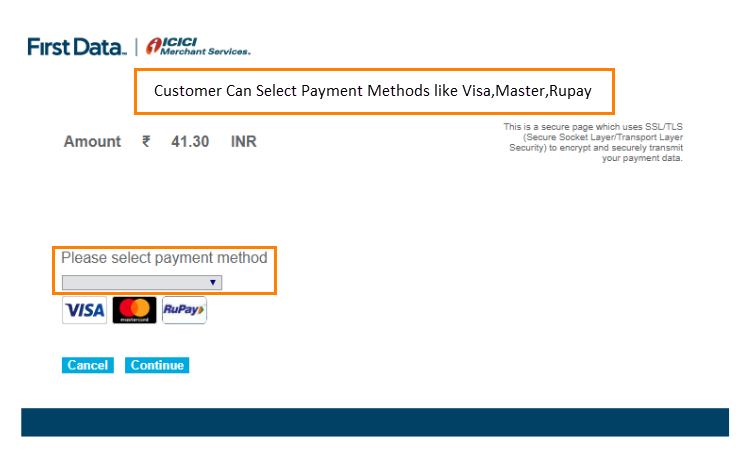
Once the customer is redirected, they will be asked to choose the payment method like Visa, Master, Rupay.
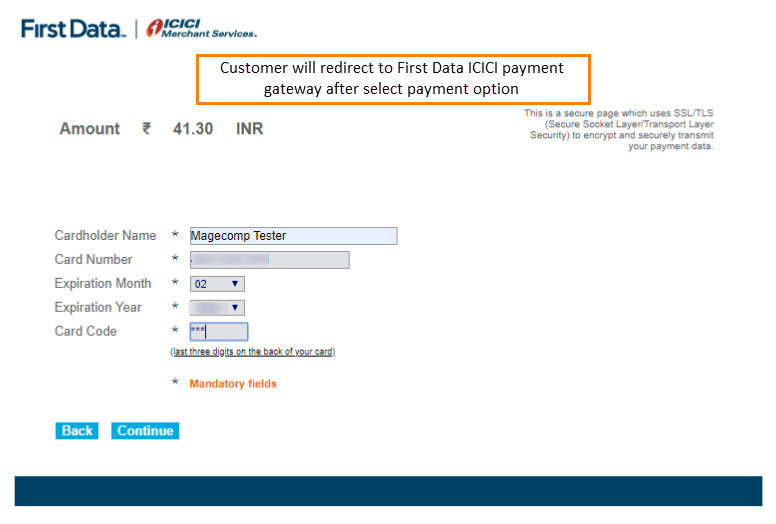
In the next step, they will be asked to fill the necessary payment details to proceed with the payment.