> For the complete documentation index, see [llms.txt](https://docs.magecomp.com/llms.txt). Markdown versions of documentation pages are available by appending `.md` to page URLs; this page is available as [Markdown](https://docs.magecomp.com/magento-2-whatsapp-order-notification-ultimate-extension/whatsapp-number-verification-in-frontend.md).
# WhatsApp Number Verification in Frontend
The extension requires the user to verify their WhatsApp number when they place an order for the very first time.\
Every time when customer change or update their WhatsApp number Extension asks the customer to perform verification process again.
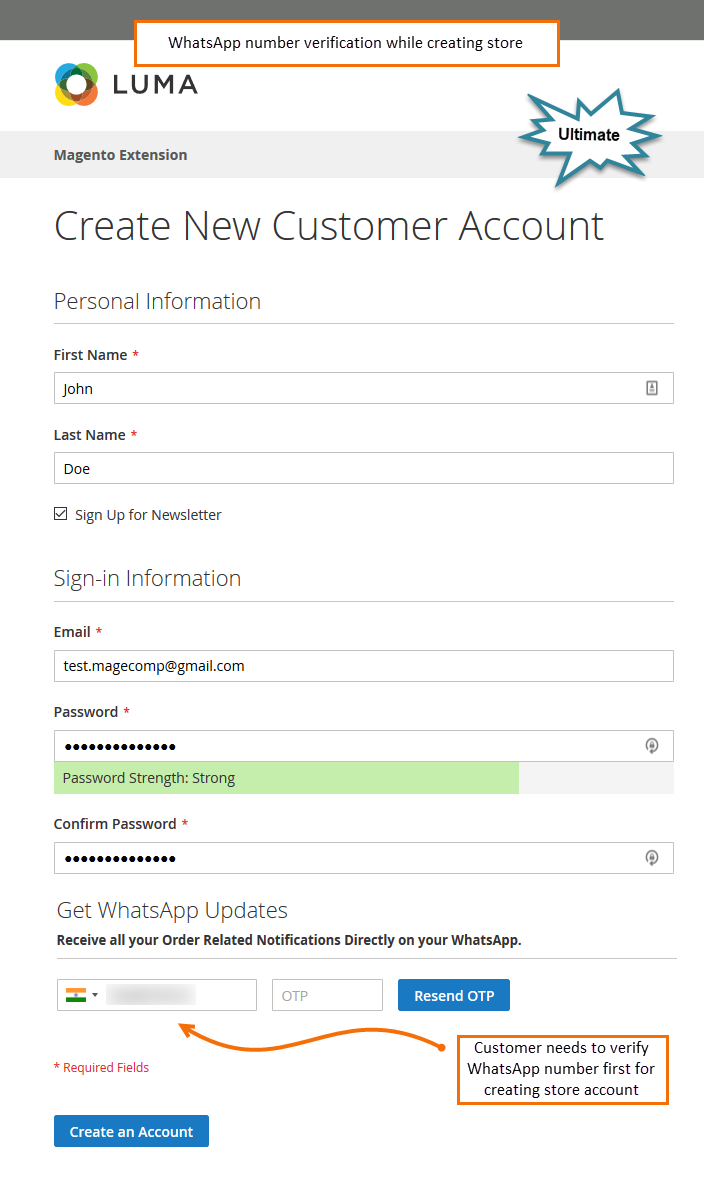
**WhatsApp Number Verification While Creating Account**
Whenever any customer trying to create an account from the store frontend, the extension will ask a customer to verify their WhatsApp number first.
**WhatsApp Number Verification for Guest Checkout**
Also, for the guest customer, the extension does not allow the customer to proceed further. Once a customer enters received WhatsApp OTP, they can continue to the checkout process.
**Verify WhatsApp Number from My Account Section**
The customers are free to update their WhatsApp number at any time from their account section.

